

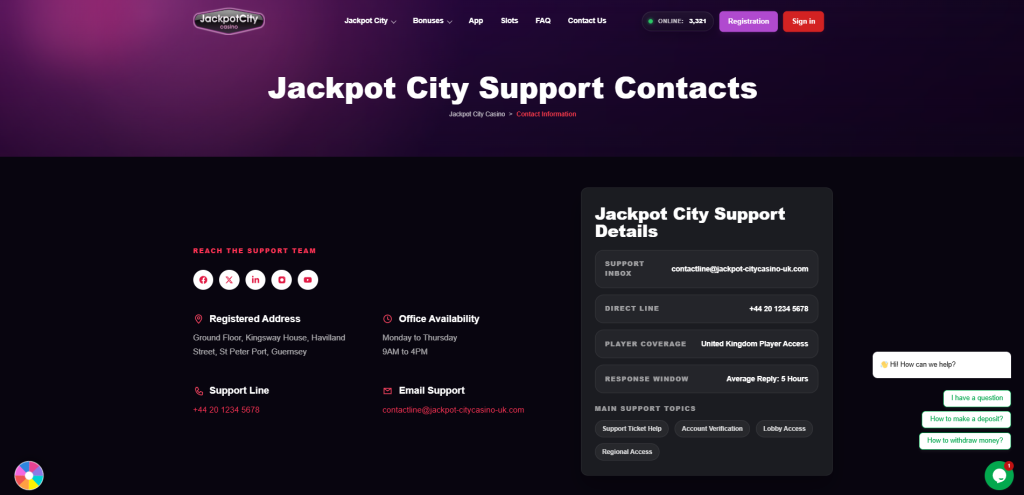
If your question is how do I contact Jackpot City, use live chat through the website’s support area or email [email protected]. Live chat is suitable for an active account problem, while email is useful when you need to provide screenshots or keep a written record.
The Help Centre can also answer general questions about accounts, payments, verification and bonuses without requiring a new support request.
How to Contact Jackpot City Casino
The best way to contact Jackpot City depends on the issue and whether you can sign in.
| Contact option | Best for | Details to prepare |
|---|---|---|
| Live chat | Login, withdrawal, verification and technical issues | Username, registered email, error message or transaction reference |
| Detailed enquiries, attachments and account-access problems | Clear description, relevant dates, screenshots and previous case reference | |
| Help Centre | General instructions and basic troubleshooting | The subject or feature you need help with |
The Jackpot City Contact Us page provides the current contact details.
How to Contact Jackpot City Live Chat
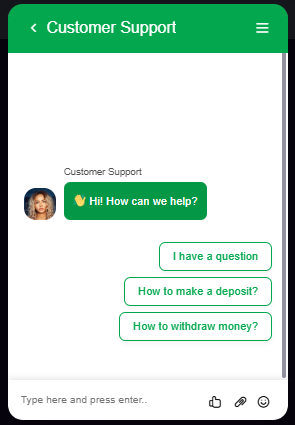
To contact Jackpot City live chat:
- Open the Jackpot City website.
- Sign in if you can access your account.
- Click the icon at the bottom right of the online chat.
- Describe the issue and provide any relevant reference number.
- Save the conversation transcript or case reference.
Begin with a direct explanation, such as a pending withdrawal, failed verification upload or login error. Never provide your password, PIN or complete card security details.
Contacting Jackpot City by Email
Email [email protected]
Use a clear subject line such as Account Access Problem or Withdrawal Enquiry. Include your registered email address or username, the date of the issue, a short description and any relevant transaction reference. Screenshots should not expose passwords, complete card numbers or other security details.
What Information Should You Send?
A complete first message helps customer service understand the issue without requesting the same details again. Prepare:
- Your registered email address or username
- A concise description of what happened
- The date and approximate time
- The relevant amount and transaction reference
- The exact error message
- A screenshot with sensitive information concealed
- Details of any troubleshooting already attempted
- A previous chat or email reference, if applicable
- The outcome you want
Reply within the same email thread when following up. This keeps the history of the enquiry together and makes earlier evidence easier to review.
Contacting Support About Specific Problems
For a login problem, try the normal password-recovery process first. If the recovery message does not arrive or the account still cannot be accessed, email support from the address registered to your account. Include the exact error and state whether you received the recovery email.
For a withdrawal or deposit enquiry, provide the amount, date, payment method, transaction reference and current status displayed in your account. Check whether a verification request is waiting before contacting support.
For a verification problem, explain which stage failed and include the message shown on screen. Submit sensitive documents only through the secure process specified by Jackpot City.
For a bonus issue, identify the promotion and relevant deposit. For a technical fault, include the affected feature, device, browser or app and the steps that produced the error.
How to Contact Jackpot City Without Logging In
Players asking how to contact Jackpot City Casino without account access can use the published support email. Contact support from the email address connected to the account and provide your username if you remember it.
Do not create another account to bypass a login problem. Support may ask you to complete an identity check before discussing account-specific information.
Following Up or Making a Complaint
If the first response does not resolve the problem, use the same conversation or case reference. Explain what remains unresolved and add any new evidence.
To make a formal complaint, provide:
- A chronological explanation of the issue.
- Relevant dates, times, amounts and references.
- Copies of previous correspondence.
- Supporting screenshots or transaction records.
- The resolution you are requesting.
Keep copies of all messages and evidence. A gambling business has up to eight weeks to complete its formal complaints process. If the matter remains unresolved after that process, follow the Alternative Dispute Resolution instructions provided in the final response.